
Zenless Zone Zero Character Setup
1. Opening the Setup Wizard & Shader Selection
Section titled “1. Opening the Setup Wizard & Shader Selection”- Press
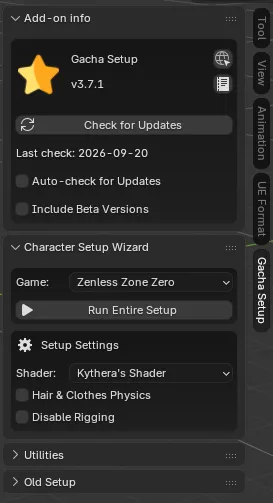
Nin the 3D Viewport to open the sidebar. - Navigate to the Character Setup Wizard tab.
- In the Game drop-down menu, select Zenless Zone Zero.
- Under Setup Settings, select your preferred Shader:
- Kythera’s Shader (Recommended): Modern anime shader supporting real-time Lighting Mode presets, rim lighting, fake SSS, and tint controls in the Item panel.
- Legacy Shader: Classic ZZZ Setup File V2.0 shader with 3D viewport control rig boards.
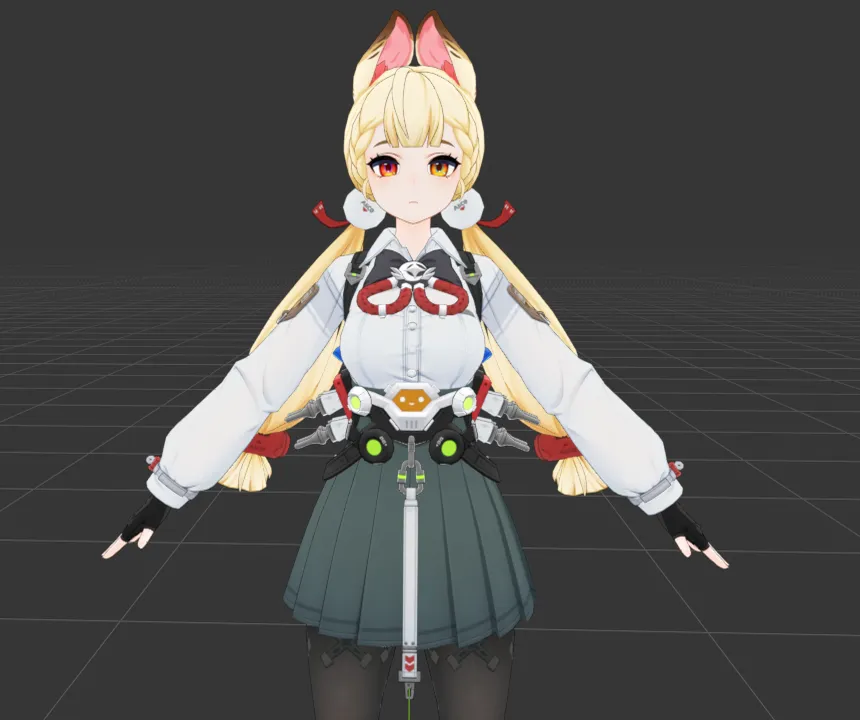
Kythera’s Shader (Toon)
More anime toon-style look with vibrant cel-shading, real-time lighting presets, and Item panel controls.
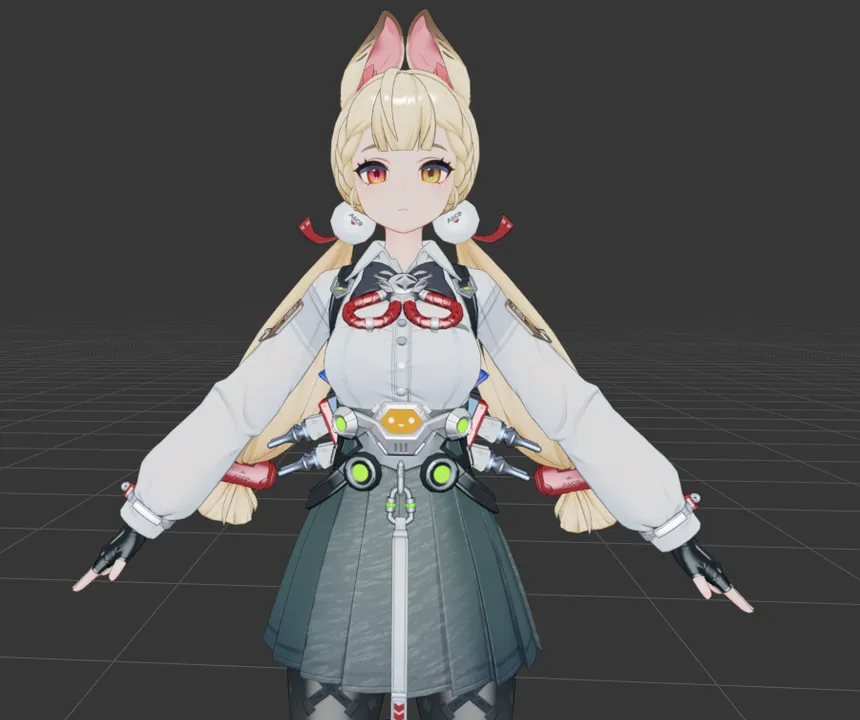
Legacy Shader (Realistic)
More realistic shading with gradient light falloffs, softer transitions, and 3D viewport control rig boards.
2. Importing Your Character
Section titled “2. Importing Your Character”You can set up your model in one click using Run Entire Setup or step-by-step via Old Setup.
- (Optional) Under Setup Settings, enable Hair & Clothes Physics to add dynamic physics to the hair and clothing. Enable Disable Rigging to skip rig generation and import materials + outlines only.
- Click Run Entire Setup (or Set Up Character under Old Setup).
- A file browser window will appear. Navigate to your character folder containing the
.fbxmodel and textures. - Click Select Character Folder.
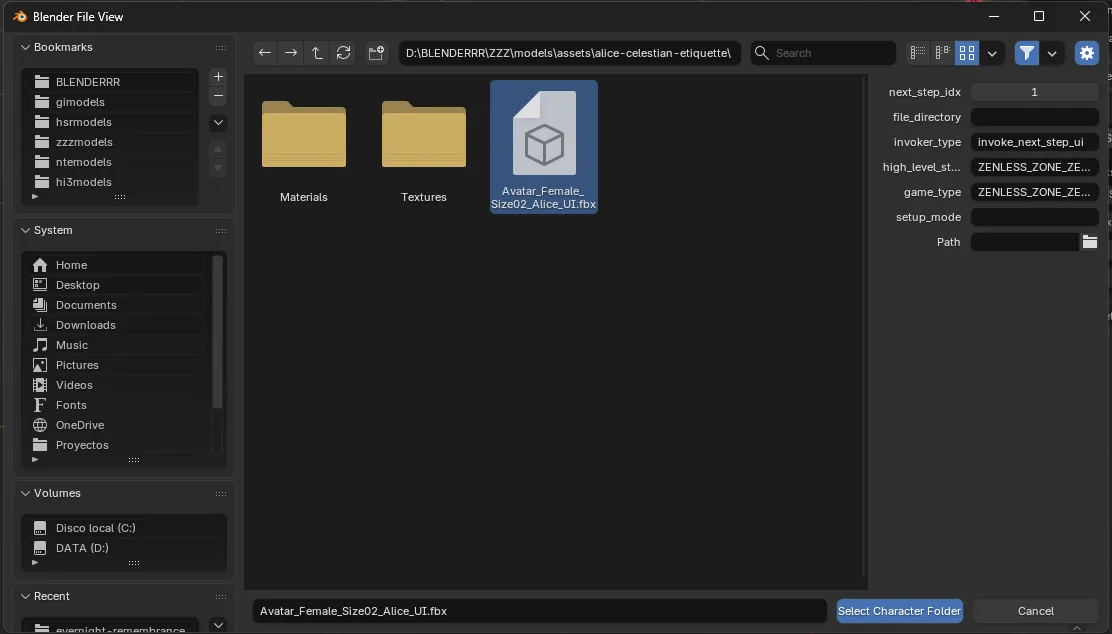
3. Automated Setup Pipeline
Section titled “3. Automated Setup Pipeline”When running the setup, the add-on executes the following automated steps for Zenless Zone Zero:
- Set Up Character: Imports the
.fbxmesh, cleans vertex groups, and standardizes bone hierarchies. - Set Up Materials: Replaces default Blender materials with your chosen ZZZ Toon Shader nodes, automatically binding diffuse, lightmap, eyeshadow, and color ramp textures.
- Set Up Outlines: Applies geometry-node inverted-hull outline modifiers to all character meshes for crisp line art rendering.
- Fix Transformations: Resets location, rotation, and scale transformations.
- Rig Character: Integrates the specialized jideeh ZZZ Face Rig and configures breast/torso physics controls.
- Finish Setup: Switches Color Management to Standard to preserve raw texture color accuracy.
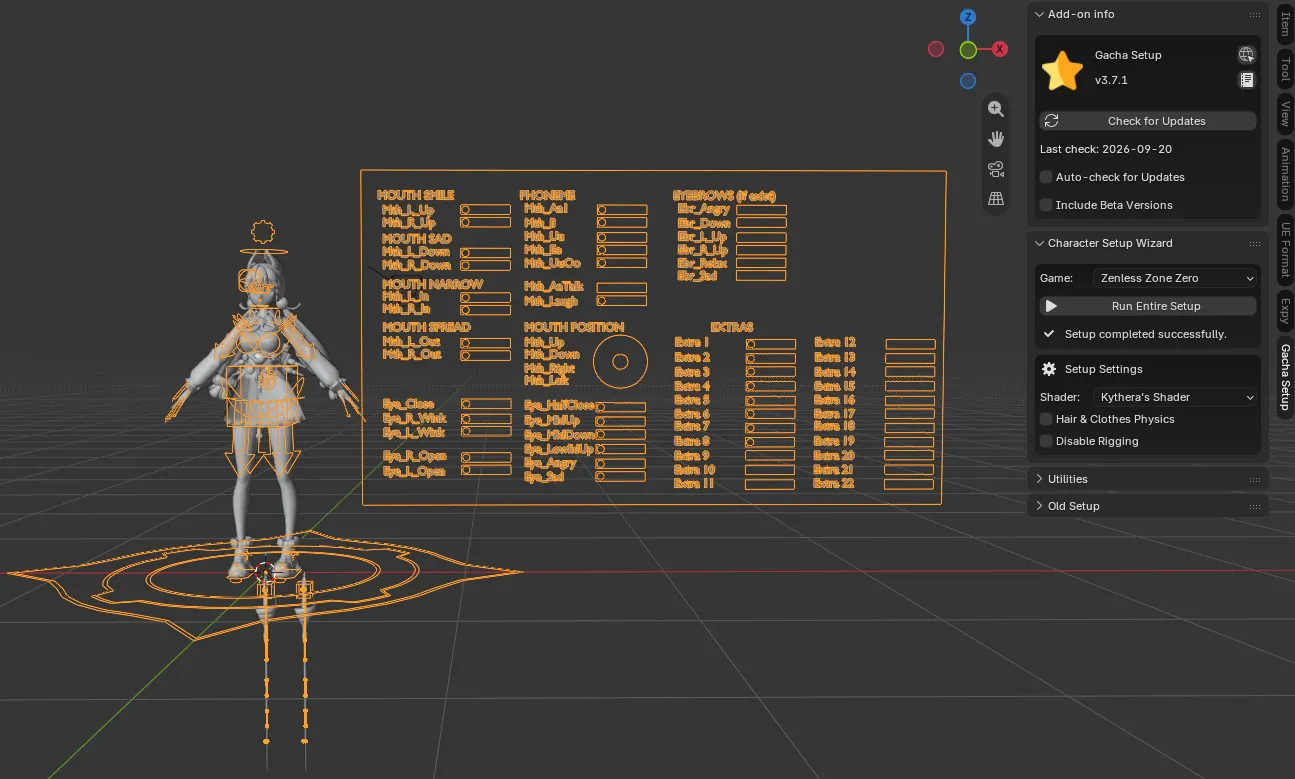
4. Optional: Adding Eyeshadow Material
Section titled “4. Optional: Adding Eyeshadow Material”If your character requires manual eyeshadow material assignment:
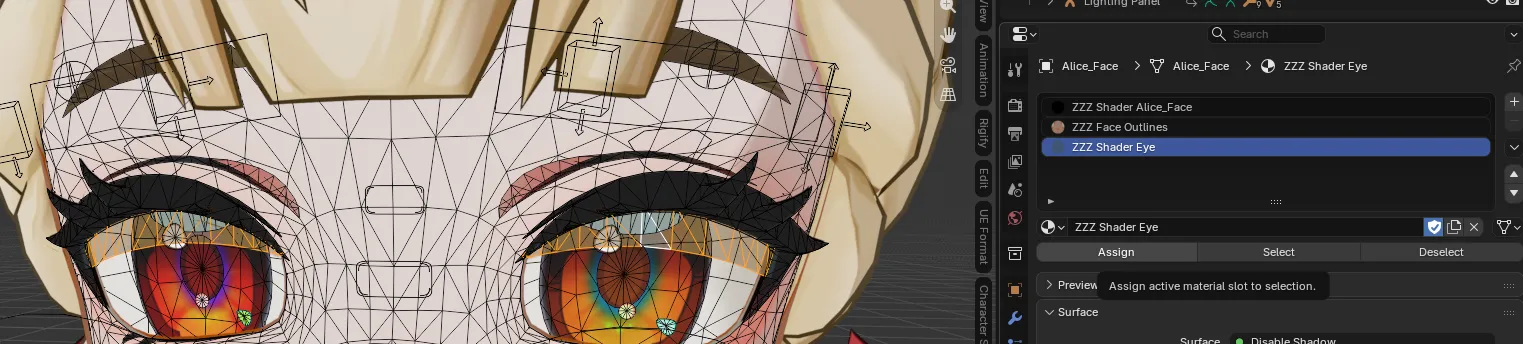
- Select the character’s face mesh and press
Tabto enter Edit Mode. - Hover over the eyeshadow geometry and press
Lto select the eyeshadow mesh components. - In the Material Properties tab, click the
+button to create a new material slot.
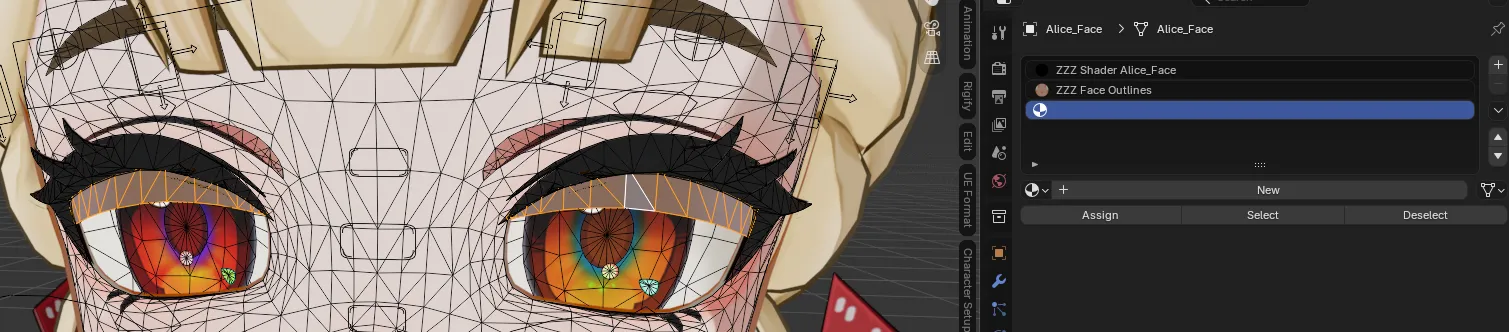
- Assign the ZZZ Shader Eye material to the newly created slot.
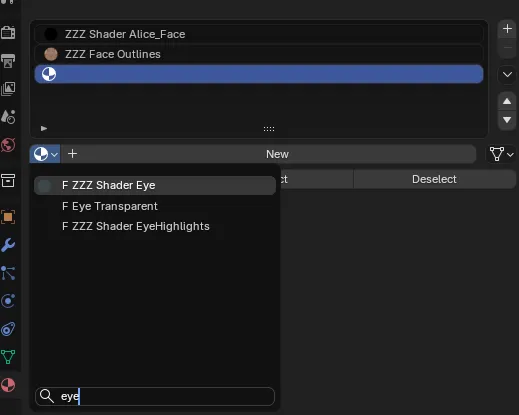
- Click the Assign button to apply the material to the selected eyeshadow mesh.