
Quickstart
Installation Steps
Section titled “Installation Steps”- Download the latest
Gacha_Setup-<version>.zipfrom the latest GitHub release. - Launch Blender 5.2+.
- Drag and drop the downloaded
.zipfile into the Blender window. - Enable the Enable Add-on checkbox and click OK to confirm.
- If it doesn’t install automatically, open Edit > Preferences > Add-ons, click Install from Disk…, select the
.zip, and enable the add-on checkbox.
Setup Character
Section titled “Setup Character”- Press
Nin the 3D Viewport to open the Character Setup Wizard sidebar panel.
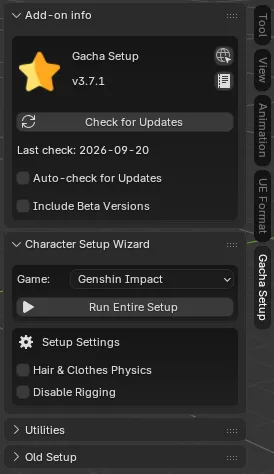
- Select your game (Genshin Impact, Honkai: Star Rail, Zenless Zone Zero, Neverness to Everness, Wuthering Waves, Arknights: Endfield).
- (Optional) Under Setup Settings, enable Hair & Clothes Physics to add dynamic physics to the hair and clothing when the character moves. Enable Disable Rigging to skip rig generation and import the character with materials and outlines only.
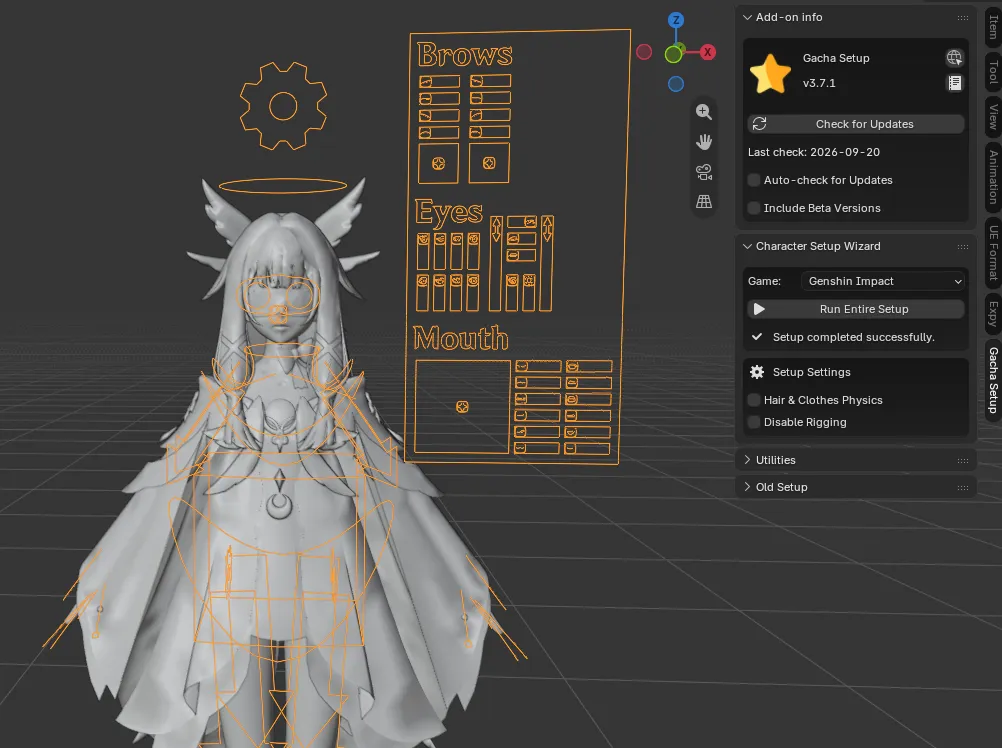
- Click Run Entire Setup (or run the steps one by one under Old Setup).
- Select your character folder and click Select Character Folder.
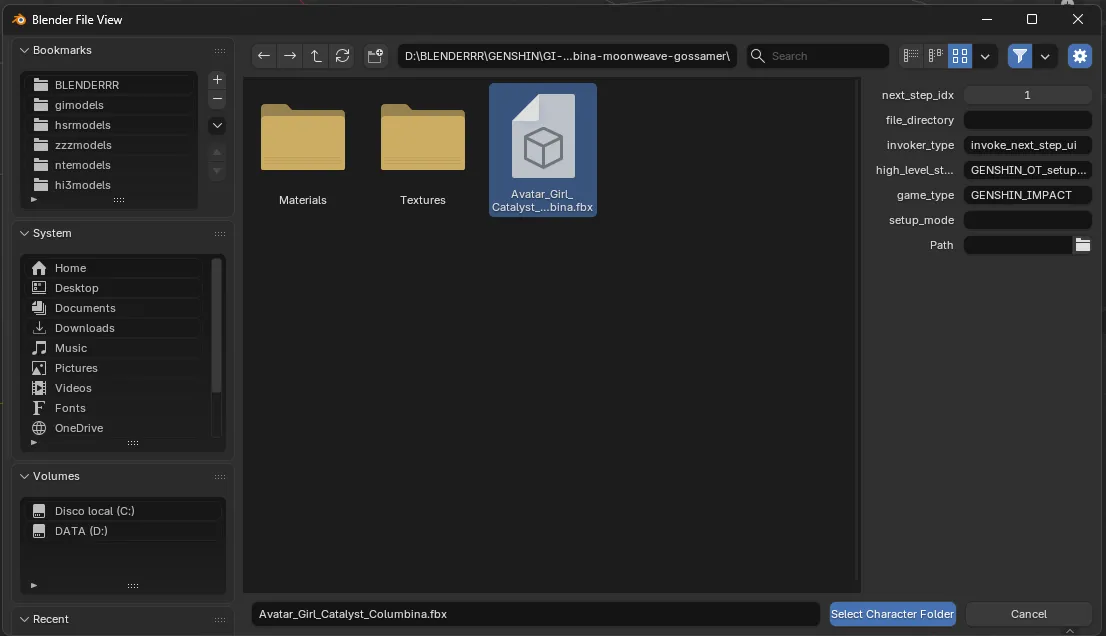
- Wait a few seconds and your character will be ready in the scene.
Set Up Each Game’s Characters
Section titled “Set Up Each Game’s Characters”If you want info on how to set up each game’s characters, check here: