

Lights & Coloramp Configuration
1. Controlling Light & Shadow Direction
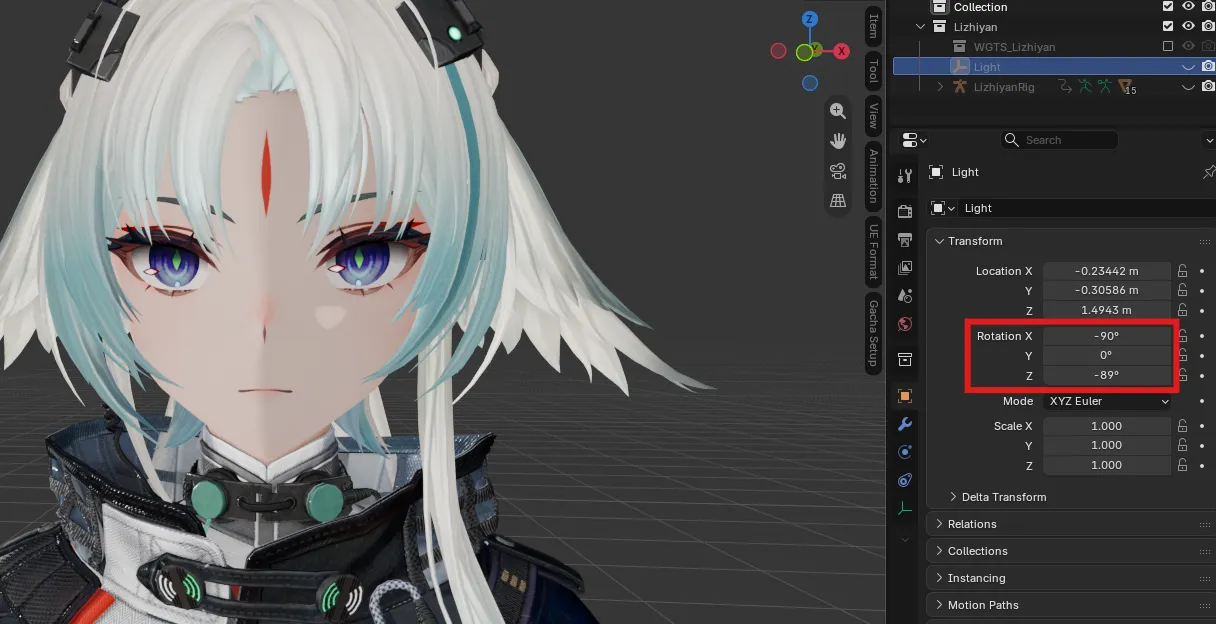
Section titled “1. Controlling Light & Shadow Direction”During character setup, a dedicated Light / Light Direction_<Character> object is created in your scene collection.
- Locate the light object in the Outliner panel.
- Open the Item Transform panel in Object Properties.
- Adjust the Rotation values (XYZ Euler) to rotate the light vector:
- Rotation Z: Rotates the sun angle horizontally around the character.
- Rotation Y: Adjusts the horizontal tilt of the light across the character.
- Rotation X: Adjusts the vertical pitch of the shadow line.
2. Character Settings (Item Panel)
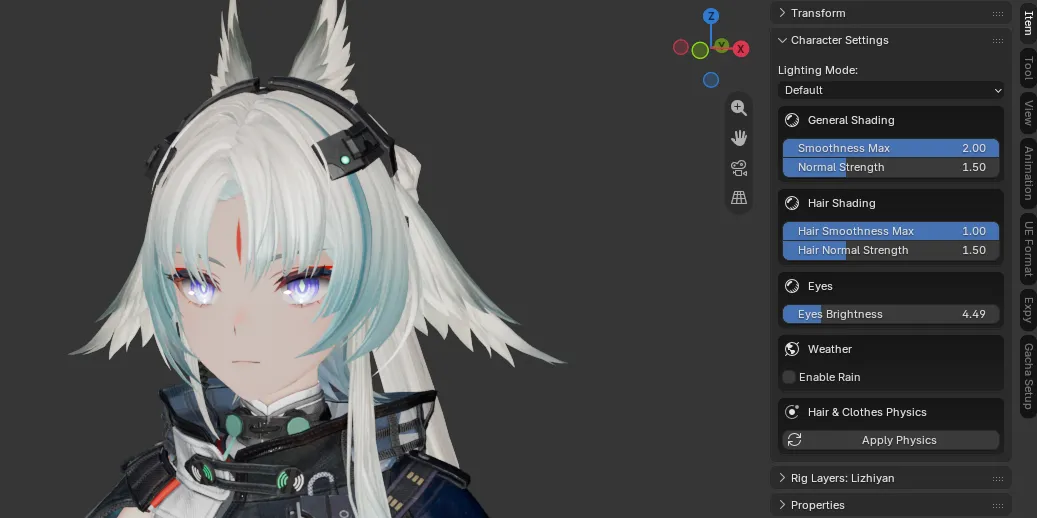
Section titled “2. Character Settings (Item Panel)”Select your character mesh or armature and press N in the 3D Viewport. Open the Item tab to access the Character Settings panel, providing real-time controls without having to manually edit shader node trees:
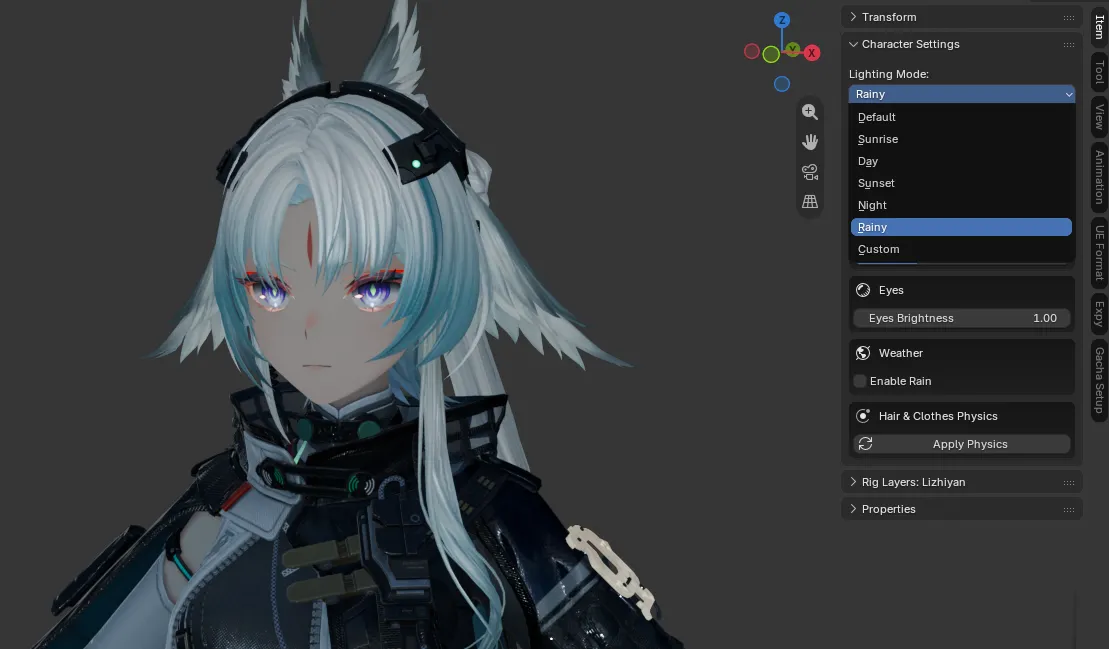
- Lighting Mode: Switch between built-in lighting presets (
Default,Sunrise,Day,Sunset,Night,Rainy) or chooseCustomto tune individual color channels. - General Shading:
Smoothness Max(0–2, default 2.0) andNormal Strength(0–5, default 1.5) for body/cloth/face materials. - Hair Shading:
Hair Smoothness Max(0–1, default 1.0) andHair Normal Strength(0–5, default 1.5). - Eyes:
Eyes Brightnessslider (1–20, default 1.0). - Weather:
Enable Raintoggles the rain shading path on the body and skin. - Hair & Clothes Physics:
Apply Physicsbutton (or Hair/Clothes influence sliders once physics exists).
Lighting Modes & Presets
Section titled “Lighting Modes & Presets”- Default: Original game lighting baseline.
- Sunrise: Warm, soft morning glow.
- Day: Crisp, balanced daylight illumination.
- Sunset: Golden-hour tones with warm highlights.
- Night: Dim cool moonlight tones.
- Rainy: Overcast, diffused atmospheric shading.
- Custom: Unlocks granular control over Ambient, DirLight, Specular, Base Color, and Fresnel colors.
Custom Colors (Custom Mode)
Section titled “Custom Colors (Custom Mode)”When Lighting Mode is set to Custom, fine-tune each channel of the Endfield PBRToon shader:
- Ambient: Base ambient illumination tint.
- Light (DirLight): Color tint applied to fully lit regions.
- Specular: Specular highlight color.
- Base Color: Base albedo tint multiplier.
- Fresnel Inside / Outside: Rim fresnel gradient colors.